
GM-Ez-Console
A downloadable tool for Windows
Download NowName your own price
Get all the info, previous versions, report an issue or find the documentation about this extension on the Github Page.
[Here's a direct link to the documentation if you are looking for it.]
⭐ Core Features
Ready out of the box
- Drop-in setup. Import the package and press
F1. No object to place, no code to write. - 16 commands included. Spawn and delete instances, read and write variables, change rooms, toggle fullscreen and the debug overlay, play sounds, check your build, save the log.
- Debug builds only, if you want. One flag keeps the console out of your release build entirely.
- Logs to file. Save the log on demand with
log save, or automatically when the game ends, into the platform's own save folder. - Cross-platform. Windows, macOS, Linux and consoles (No mobile or HTML5, sorry).
Debug a running game
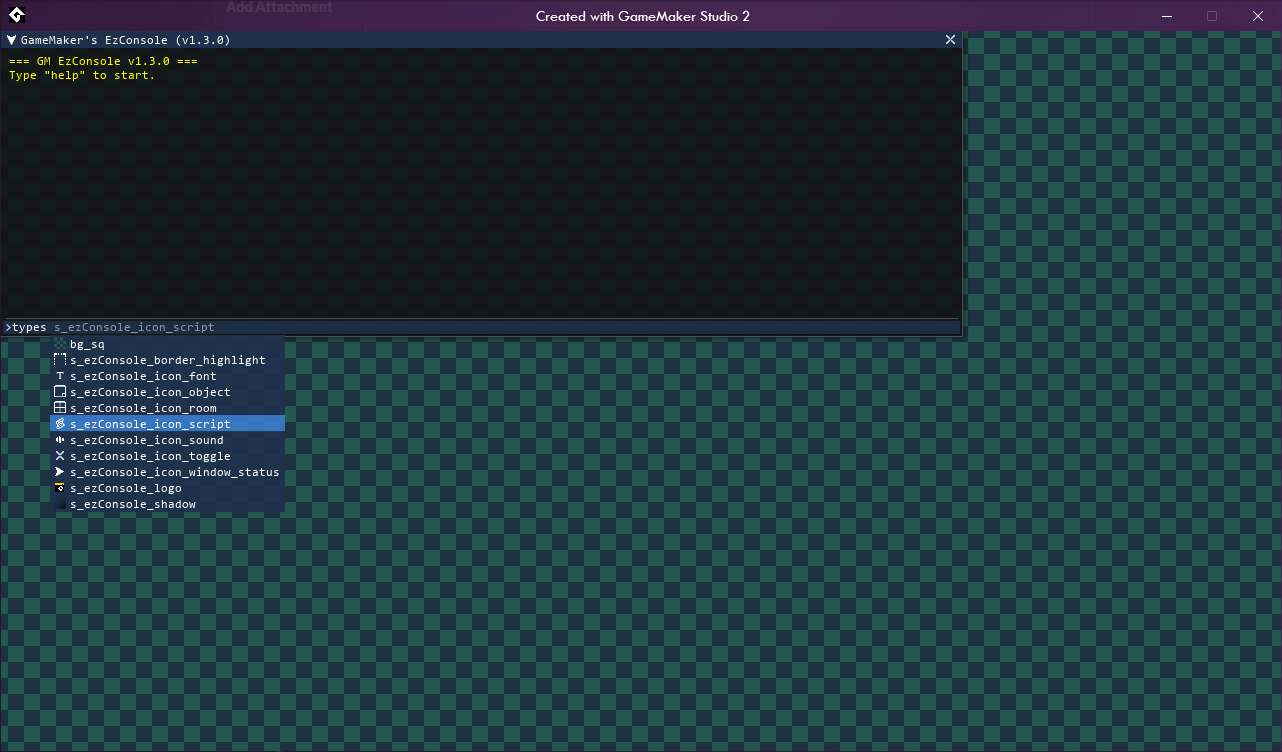
- It knows your project. Type-ahead completes your sprites, objects, sounds, fonts, rooms and scripts as you type, each with its own asset icon.
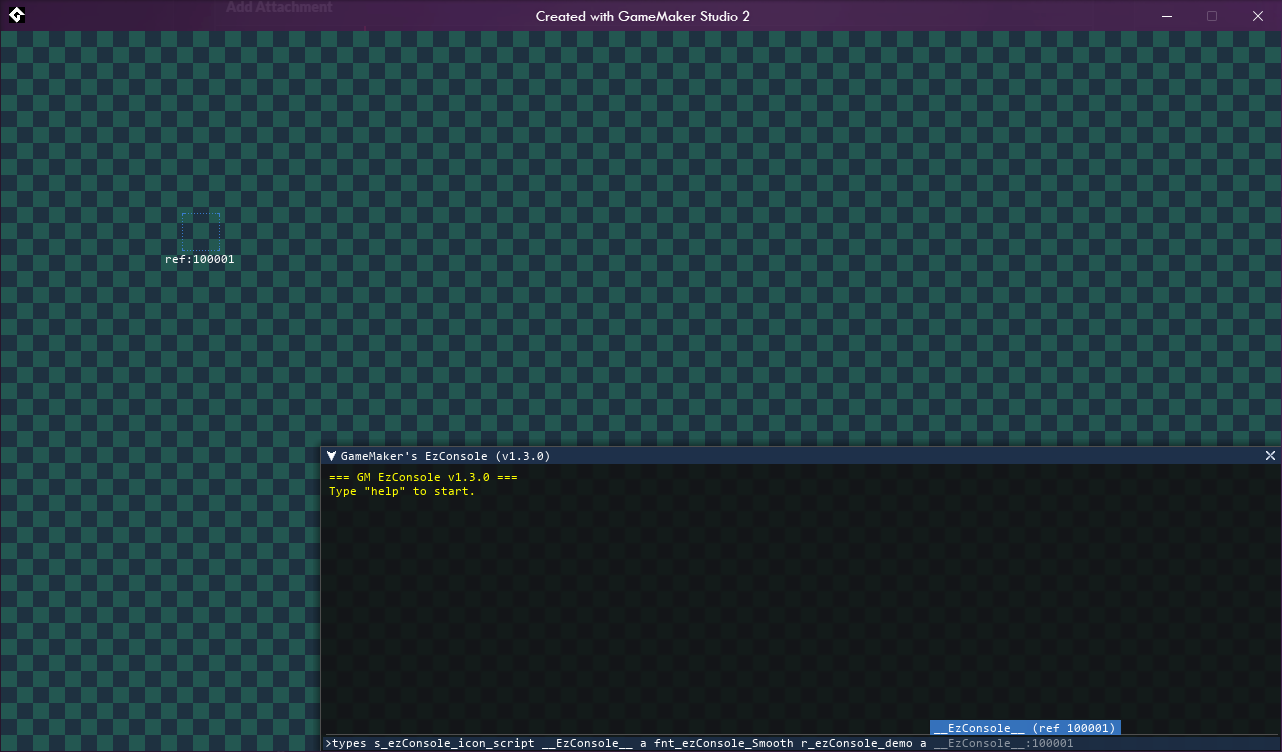
- Find instances visually. Pick one from the suggestions and it is highlighted in the room, ref id and all, so you always know which one you are about to touch.
- Read and write anything.
getandsetreach every variable on an instance, built-ins included, or onglobal- andsetcreates the variable if it does not exist yet. - Poke at the world. Create instances at a position, list them with their id, position and depth, delete them, jump between rooms.
Extend it with your own commands
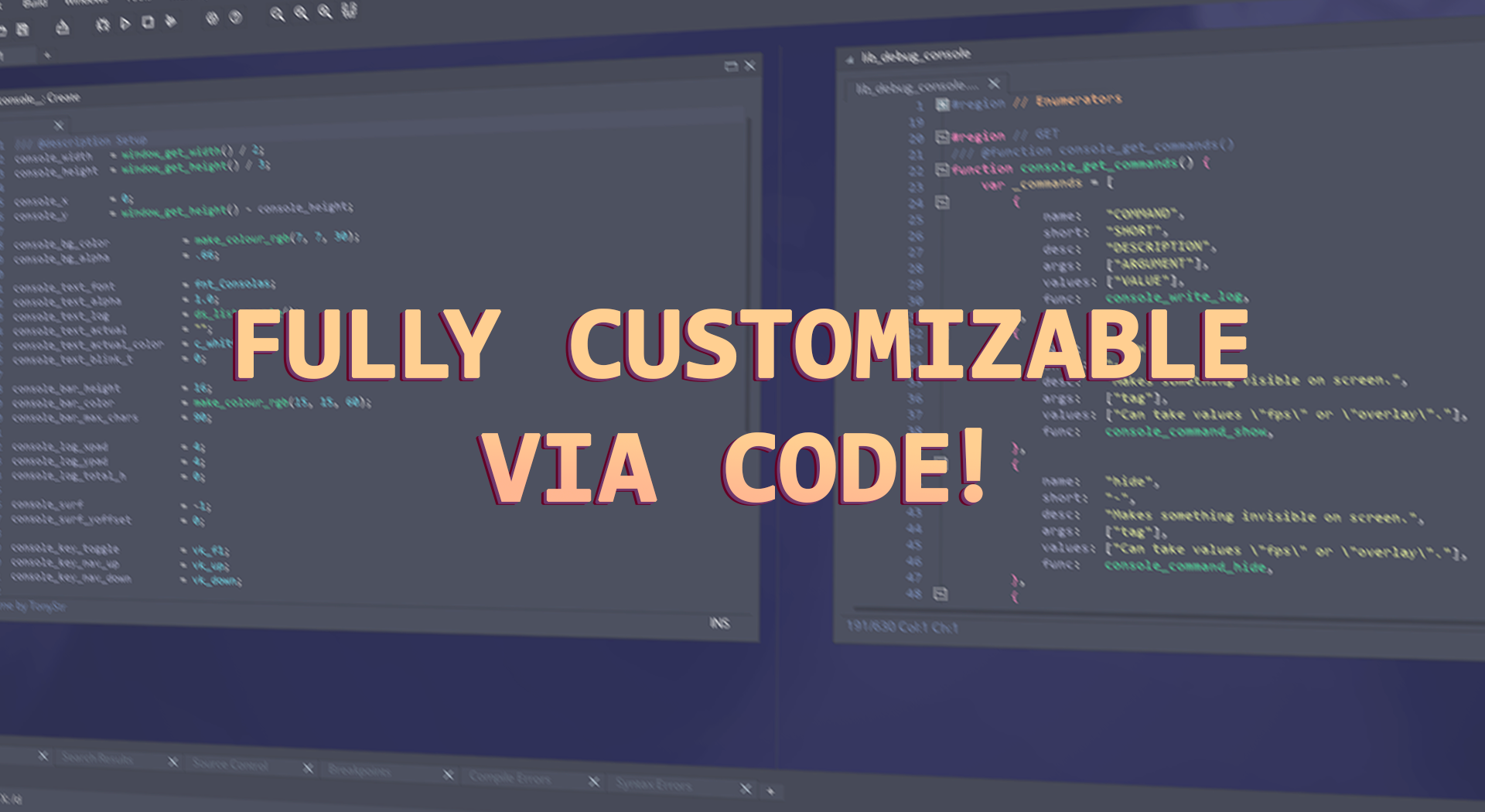
- Register a command in a few lines. From code, or from a JSON file you can ship and edit separately.
- Real arguments. Name them, mark them required or optional, restrict them to a list of options, or type them as an asset so the console suggests your own assets for them.
- Callbacks. Hook into open, close, log, destroy and game end to wire the console into your own systems.
- A small, clean API. Log at four levels, ask whether the console is open, visible or focused, and show or hide it yourself.
Looks and feels like part of your game
- Fully themable. Colors, fonts, size, anchor, padding and backdrop blur, from a
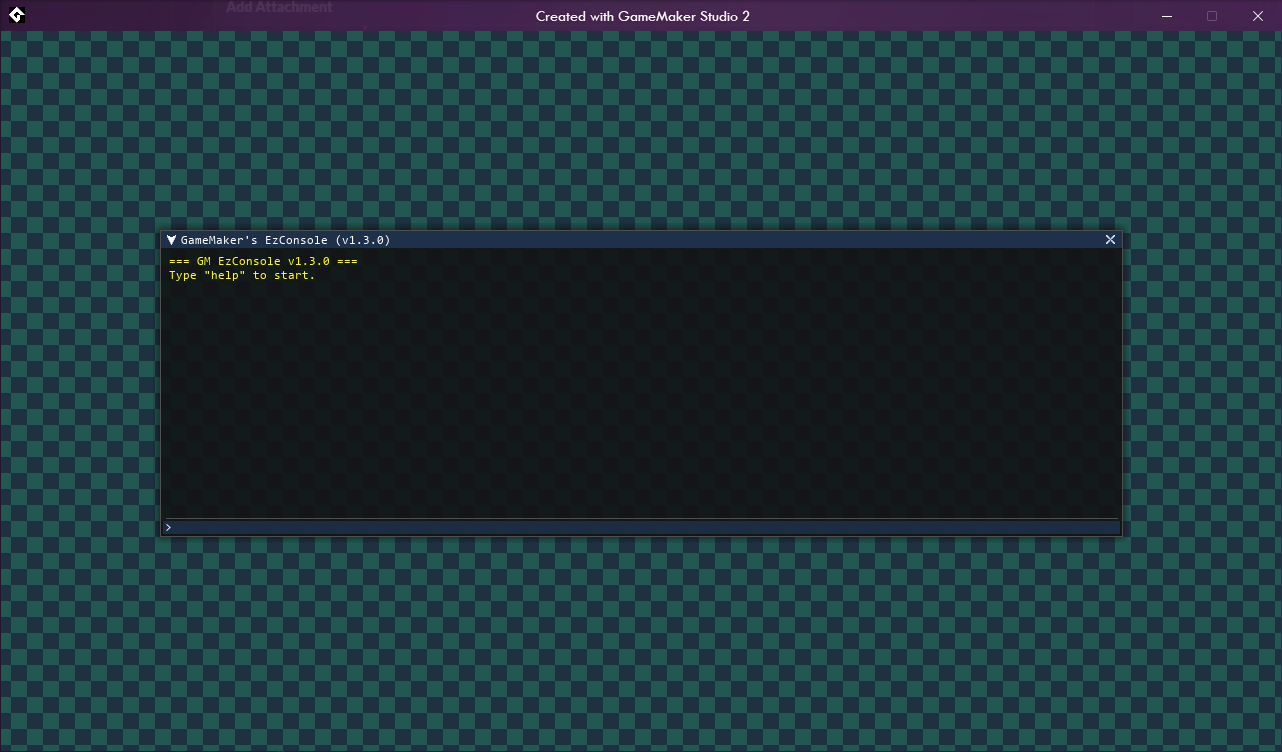
.skinfile or from code. Four skins included. - Behaves like a window. Drag it, resize it from the corner, drag the scrollbar, click a log line to copy it, middle-click to paste, hold a key to repeat it.
- Stays out of the way. It only reads the keyboard while focused, so it never steals input from your game.
- Around 40 configuration options. Every behaviour above can be retuned or turned off from a single script.
🔧 Versioning and Compatibility
Any of the releases of this extension are compatible with GameMaker Studio from versions 2.3 to the latest one released. But the table below shows the compatibility of each release.
✅: Fully compatible. (*: Recommended for this version.)
⚠️: Compatible but could have some compatibility issues with the new features of the version.
❌: Not compatible.
| GameMaker Version | GM-EzConsole v1.0.0 | GM-EzConsole v1.1.0 | GM-EzConsole v1.2.x | GM-EzConsole v1.3.x | GM-EzConsole v1.4.x |
|---|---|---|---|---|---|
| Studio 1.4.x | ❌ | ❌ | ❌ | ❌ | ❌ |
| Studio 2 - 2.2 | ❌ | ❌ | ❌ | ❌ | ❌ |
| Studio 2.3.x | ✅* | ❌ | ❌ | ❌ | ❌ |
| 2022.1 - 2022.9 | ✅* | ❌ | ❌ | ❌ | ❌ |
| 2022.x LTS | ✅* | ⚠️ | ❌ | ❌ | ❌ |
| 2022.11 | ⚠️ | ✅ | ✅* | ⚠️ | ⚠️ |
| 2023.1 | ⚠️ | ✅ | ✅* | ⚠️ | ⚠️ |
| 2024.2+ | ⚠️ | ✅ | ✅ | ✅ | ✅* |
| 2026 LTS | ⚠️ | ✅ | ✅ | ✅ | ✅* |
| Status | Released |
| Category | Tool |
| Platforms | Windows |
| Rating | Rated 5.0 out of 5 stars (2 total ratings) |
| Author | DAndrëwBox |
| Tags | asset, console, debug, GameMaker, tool |
| Content | No generative AI was used |
Download
Download NowName your own price
Click download now to get access to the following files:
GM-Debug-Console-demo-v1.4.zip 3.1 MB
GM-ez-Console-v1.4.0.yymps 148 kB
Development log
- [Major Update] GM-EzConsole-v1.4.039 days ago
- Issues tracker & feature requestsApr 12, 2024
- GM-EzConsole-v1.3.1 - A lot of bug fixingMar 21, 2024
- Major Update GM-EzConsole-v1.3.0!Mar 10, 2024
- GM-EzConsole last version v1.2 releasedFeb 01, 2023
- GM-EzConsole v1.1Jan 25, 2023
- First version released!Jan 24, 2022

Comments
Log in with itch.io to leave a comment.
This is incredible! Thank you!
One slight issue: When using `message` or any self-made version of it, it reprints the final quote.
For example, `message "Hello, world!"` will print `Hello, world!"` and show the same extra closing quote.
That being said, I'm trying to get an online framework up and running and didn't want to have to make a series of buttons and hardcoded options to test the communication, so adding a few new EzConsoleCommands made this incredibly convenient.
Thank you! Hope it helps you with your project :D
I will be sending a v1.3.2 lateer this week to fix that and fix a bit some issues reported long ago.
Thank you! Another thing that I have been banging my head against the wall over:
I was getting this warning with a custom command with arguments and it would cause Photon to disconnect (an online play extension) and automatically reconnect. To troubleshoot, I made a custom command "echo" that works just like "message" but instead of a popup it just uses ezConsole_info. As soon as I hit space after "echo", it clears the input and prints a message to GM's output: "Warning! - gml_Script___ezConsole_dep_get_asset_names(171) : Error: A given parameter was nullptr"
No idea where this message comes from, I can't track down what causes it with break points all over the place where I thought it would make sense. The strange thing was that your own commands didn't cause this; if I type `message hello`, it didn't cause any issues. To help track this down, I changed `console_command_base_message` to use `ezConsole_info(_args[0])` and now when I use "message" it has the same warning as my command.
Now, the extra weird thing: I changed it back to the original command you had and it didn't go back to working. However, scripts I didn't touch, like "fullscreen true" works without issue.
Further info:
It was somehow calling a function I don't reference anywhere involving your extension. I have a struct in oGame.network with a method called "connect". After typing "message" and hitting space, it runs that connect function. Here's the call stack:
EDIT: I went through the following trying to trace down the issue and I finally figured it out. Your library figures out if a script is a constructor by trying to create one. "Network" is a constructor, and when it's constructed it initiates a connection to my server. By creating a new Network, all of the initialization code is running again. I was able to fix it by changing your __ezConsole_dep_is_constructor to:
function __ezConsole_dep_is_constructor(_func){ return asset_has_tags(_func, ["@@constructor"], asset_script); }--------
Original exploration:
at gml_Script___ezConsole_dep_is_constructor (line 198) - if (string_pos("constructor", err.message)) ############################################################################################ gml_Script___ezConsole_dep_is_constructor (line 198) gml_Script___ezConsole_dep_get_asset_names (line 179) - if (_asset_type == asset_script && __ezConsole_dep_is_constructor(_ids[@ i]) && (string_pos("EzConsole", _name))) continue; gml_Script_console_typeahead_get_names (line 510) - room: __ezConsole_dep_get_asset_names(asset_room), gml_Script_console_get_typeahead (line 218) - _names = console_typeahead_get_names(_arg_type); gml_Object___EzConsole___Step_0 (line 229) - ? console_get_typeahead(console_text_actual)So when I type "broadcast" and then "space", I get this (with values plugged in):
__EzConsole__.Step line 229: console_get_typeahead( "broadcast ")
ezConsole_logic line 126:
function console_get_typeahead("broadcast "){ var _msg_trimmed = ["broadcast",""]; var _is_command = false; var _suggestions = []; var _commands = /**18 member array*/; var _commands_len = 18; if( _is_command){ } else { var _msg_trimmed_len = 2; var _command = "broadcast"; var _command_index = 16; var _command_exists = true; } if( {true} && {0} < {1}){ // _command_exists conditional var _arg = ""; var _arg_type = -4; var _asset = ""; var _arg_len = 0; if( _arg_type == ezConsole_type_options){ } else if (_arg_type == ezConsole_type_instance){ } _names = console_typeahead_get_names(-4)ezConsole_logic line 504:
function console_typeahead_get_names(-4){ static _names = { script: __ezConsole_dep_get_asset_names(5)ezConsole_dependencies line 159:
function __ezConsole_dep_get_asset_names(5){ var _cb = script_get_name; // 803 internally var _ids = /**268 member array*/; var _ids_len = 268; var _names = []; for( /**0 through 250 work, _names is now 154 elements*/ i = 251){ var name = "Network"; if( {false} || {false}); if( ({true} && ({false} || {false}); if( ({true} && __ezConsole_dep_is_constructor(_ids[@ i]) && {false});ezConsole_dependencies line 193:
function __ezConsole_dep_is_constructor(Network){ try { var _temp = new Network(); delete Network(); }This is amazing documentation of the error, thanks a lot for the fix also!
I’ll be checking into it and testing some cases around it, but it should be solved by tomorrow morning with release v1.4.0
Will let you know here when it’s released :)
The new version v1.4.0 has been published. There are some breaking changes so I recommend reading the release notes.
Thanks a lot! :)
Hey Andrëw! Next time make your functions handle 1 more argument! My game was unable to run after I added your console.
Hey! Can you let me know what errors are you getting so I can fix it as soon as I can?
I don't even get errors, it just refuses to run. Why do your functions have an allergy to an extra argument???
Sorry I’m not getting it, can you please provide more context? What do you mean an allergy ton an extra argument?
Is the game not running or the command not running inside the console? What are you trying to accomplish? Did you check the wiki? Is it an issue creating the command or is it an existing command?
Can you record a video or upload some screenshots? All that could be really helpful to solve your issue as quick as I can
Hey! Nice tool
I found out that // Draw blurred background code radically drops my fps to about 5 frames per second. The way it's drawn seems to be pretty tricky using surfaces and shaders. I have no idea man =)
I casualy replaced that with draw_rectangle() and it seems pretty fine to me
Upd: I didn't realized there already is layout drawing, so no need in draw_rectangle()
Using the blurred version uses more GPU, is not required actually but you can disable it removing the function.
I’m working on a new versiont with a lot more customization so you can don’t have to edit that much code to make it work without the features you may not like
That sounds good!
I also added custom autocomplete functionality for commands. E.g. I have a command goto which instantle swithces room. If I type goto I'll see a list of all the rooms in suggestions.
Are you going to have smth like this in updated version?
I didn’t think about that but should take me that much, maybe add a prop for selecting which asset type you want to autocomplete/suggest (rooms, sprites, objects, etc), if you want to suggest something, I’m open for it!
What about defining a custom function which will form a list of suggestions in runtime? That's seems most universal. And that's what I've done =)
Sounds cool, will try about that, have been working last week on the console and v1.3 should be ready in 1 or 2 weeks if you want to check it out later :D
Really useful! Unfortunately I get an error when I try to create my own command.
Had same issue. If you add functions via json instead it works.
Hey! I’m working on a whole rework of this console hopefully solving these issues, sorry for the late responses
A new major update has been released and that should solve a lot of previous bugs!
This is fantastic! I appreciate all the work you put into this. I'll definitely be keeping up.
Thank you so much! Hope it would help and ber useful!